FlexReporter software suite works with AFL Test and Inspection instruments to provide a simple-to-use, high performance cloud enabled reporting platform.
2584577706ac4ea69c019128dc971294
AFLglobal.com 1 (800) 235-3423 © 2024-2026, AFL, all rights reserved. RPTS-00-2000 Revision AD, 2026-09-18 Specifications are subject to change without notice. Test and Inspection FlexReporter ® Software Suite 1 Features • FlexReporter Software Suite — A unified platform supporting AFL’s test and inspection instruments • FlexReports Cloud — A streamlined testing workflow from project spreadsheet through field testing to cloud-based reporting • FlexApp — Real-time synchronization of test assignments and field test results to FlexReporter Cloud • Reports generation with FlexReports Cloud or FlexReports PC • Centralized storage and management of test results and project data Applications • Manage large-scale MPO deployments with fewer manual steps and faster report generation • Support large-scale fiber certification projects (up to 50,000 fibers) • Analyze OTDR traces with Bi-directional trace averaging and Macrobend/Microbend detection • Batch-edit OTDR test results to correct improper test settings Comprehensive Cloud-based Analysis and Reporting Tools FlexReporter Software Suite is a cloud-enabled project management and reporting platform for AFL’s test and inspection instruments. The suite connects project planning, field testing, test data transfer, centralized cloud storage, analysis, and reporting through FlexApp, FlexReports Cloud, and FlexReports PC software. FlexApp is a mobile application (iOS/Android) that wirelessly transfers test data between compatible AFL testand inspection equipment and FlexReports Cloud. Test results are synchronized in real time for centralized access, analysis, editing, and report generation using FlexReports Cloud or FlexReports PC software. FlexReports Cloud is a centralized, cloud-based platform for managing fiber optic testing projects from planning through final acceptance across data center, enterprise, and FTTH deployments. Through an intuitive web-based dashboard, project managers can create organizations projects and import project data from CSV files. The platform provides a scalable project workflow enabling supervisors to create and assign fiber testing projects, technicians to execute tests through the FlexApp and connected instruments, and stakeholders to instantly access results and generate large certification reports in seconds rather than minutes. FlexReports PC software integrates with FlexReporter centralized cloud storage to provide remote access to test results and powerful analysis, editing, and reporting capabilities. Available for Windows ® in Basic and Advanced versions, FlexReports PC software supports FlexScan ® OTDRs, FOCIS connector inspection products, optical power meters, and FlowScout ® OLTS certifiers. FlexReports Basic provides tools for viewing and analyzing test results and supports single-fiber OTDR and OLTS reporting. It also includes a 60-day trial of the Advanced version with Batch Editor functionality. FlexReports Advanced is a comprehensive reporting and post-processing solution for generating professional bi-directional OTDR, OLTS, and connector inspection reports that comply with industry standards. Advanced Batch Editor functionality enables users to update OTDR Pass/Fail limits, correct OTDR events, and streamline post-processing workflows. FlexReports Power provides reporting capabilities specifically designed for AFL’s FlowScout optical power meters and OLTS testers, enabling report generation from ATD files with Pass/Fail limit information. Flex Reports PC Flex App Flex Reports Cloud Flex Reporter Software Suite
AFLglobal.com 1 (800) 235-3423 © 2024-2026, AFL, all rights reserved. RPTS-00-2000 Revision AD, 2026-09-18 Specifications are subject to change without notice. Test and Inspection FlexReporter ® Software Suite 2 FOCIS Microsoft Excel Product Highlights Product Highlights FlexReports Cloud PLAN ASSIGN TEST SYNC REPORT A connected path from project planning to field testing to cloud- based reporting 1. PLAN: Create a project using Microsoft Excel and export the project data to a CSV file. 2. ASSIGN: Import the project into FlexReports Cloud Workflow and assign testing work to field teams. 3. TEST: Technicians receive assigned test projects through FlexApp and perform field testing using FlowScout ® MPO or Quad OLTS certifiers. 4. SYNC: Test data from the FlowScout MPO or Quad OLTS is automatically synchronized through FlexApp to FlexReports Cloud. 5. REPORT: Review test results and generate customer-ready documentation and reports with FlexReports Cloud. Projects Results 1 5 3 4 2 FlowScout MPO FlowScout QUAD Flex App Flex Reporter Cloud-enabled Storage Flex App Flex Reports on PC FlexReports PC Software TEST SYNC REPORT 1. TEST: Technicians perform field testing using FlexScan ® OTDRs, FOCIS inspection scopes, FlowScout OLTS certifiers. 2. SYNC: Test data from the test equipment is automatically synchronized through FlexApp mobile application to FlexReports cloud-enabled storage. 3. REPORT: Review test results and generate customer-ready documentation and reports with FlexReports PC software. 1 2 3 OLTS AFL’s Testers FlexScan Flex Reports Cloud
AFLglobal.com 1 (800) 235-3423 © 2024-2026, AFL, all rights reserved. RPTS-00-2000 Revision AD, 2026-09-18 Specifications are subject to change without notice. Test and Inspection FlexReporter ® Software Suite 3 User friendly interface makes reporting and reviewing results easy: OTDR, certification, inspection, and OPM test results are indicated by specific icons to simplify selection of test results to report and review. Report performance, flexibility and customization: Features a fast and easy to configure cloud report service for large OTDR reports. Also Includes a highly configurable Report Wizard that enables users to generate personalized reports for customer’s job acceptance. Generated reports meet accepted industry documentation and feature customized cover pages with customer logos. Can create dedicated inspection, insertion loss and OTDR reports, as well as reports combining OTDR, power meter, and inspection results. Industry Standard and user-defined reports: Test to Industry Standards (ISO/TIA/EN), Application Rules (IEEE/ ANSI), or create User Rules and User Application Rules. As new rules and applications develop, compare existing test results to new rules, such as emerging Ethernet standards. Supports industry-standard 10GbE IEEE 802.3ae specification using pre-configured 10GbE application rules. Produces detailed 10GbE test report. Include inspection results in reports: FlexReports software allow integration of fiber inspection results from the FOCIS family inspection products to be included in customized test reports. FlexReports supports Bellcore/Telcordia .SOR file formats. Basic and Advanced Software Comparison FLEXREPORTS FEATURES BASIC LICENSE ADVANCED LICENSE OTDR Trace Viewer, OLTS Viewer/Editor OTDR Trace analysis with Bi-directional and Macrobend analysis OTDR Add/Delete events from the Trace Viewer Single fiber PDF reports for OTDR trace and OLTS results 60-Day Reporting and OTDR Trace Batch Editor license trial Download of test results stored in the FlexReporter cloud-enabled storage Bi-directional OTDR, OLTS, Inspection reports Hyperlinked PDF test reports with clear Pass/Fail indicators PDF and Excel format OTDR reports PC Reports Wizard Batch editing of OTDR .SOR files for renaming results, correcting Pass/Fail limits and launch cable settings Ordering Information FlexReports Basic software is available as free download on AFL Software Resources website. FlexReports Basic includes a 60-day Advanced software trial. Once the evaluation period ends, users must upgrade to FlexReports Advanced software license to continue using FlexReports Advanced features. AFL NO. DESCRIPTION Flexreports Cloud Flexreports Cloud, available on AFL website FlexApp FlexApp data transfer mobile App, available on Google Play and Apple App Storee RPTS-ADV-1 FlexReports Advanced, one seat license RPTS-UP-TRM3-1 FLexReports Advanced, one seat, Upgrade from TRM ® 3 Advanced. Users must have TRM-3 Advanced license FlexReports Basic FlexReports Basic, available for download on AFL Software Resources website
AFLglobal.com 1 (800) 235-3423 © 2024-2026, AFL, all rights reserved. RPTS-00-2000 Revision AD, 2026-09-18 Specifications are subject to change without notice. Test and Inspection FlexReporter ® Software Suite 4 Extremely Fast Reporting with FlexReports Functionality FlexReports features a simple 3-step configuration reporting option and uses FlexReporter-Cloud for large projects and fast reporting. Simple Navigation with Hyperlinked Fiber Groups (Cables) and Fiber Numbers Navigation in FlexReports is simple and easy with hyperlinked Fiber Groups and Fiber Numbers. • Project Summary page - Displays summarized Report Summary, clear Pass/Fail Summary, and Fiber Groups Summary. • Fiber Group /Cable page - Displays compact Fiber Group report with Link Metric. • Fiber Details page - Displays detailed test results of a fiber with LinkMap ® and Event Table. Example of Bi-directional OTDR Test Report Project Summary page Fiber Group / Cable page Fiber Details page 1 2 3
AFLglobal.com 1 (800) 235-3423 © 2024-2026, AFL, all rights reserved. RPTS-00-2000 Revision AD, 2026-09-18 Specifications are subject to change without notice. Test and Inspection FlexReporter ® Software Suite 5 Contact Sales@AFLglobal.com to schedule a demonstration or learn how to buy. Visit www.AFLglobal.com/Test to learn more about FlexReports. International Sales and Service Contact Information available at www.AFLglobal.com/Test/Contacts Batch Processing allows users to add, delete, and change event types using the OTDR Batch editor. Users can add missing events into the event table, for example, splices with a loss that is too small to be detected by OTDR event analysis. Users can also remove echo, ghost, or false events picked up by an OTDR when there are very high reflectance events in the test network ensuring cleaner and more accurate event tables. Analysis • Edit cables or groups of fibers in one batch session • Modify event Pass/Fail thresholds: Loss, ORL, Link Loss, Link ORL • Add, remove, or adjust Launch and Receive cables • Adjust the location of the cursors Documentation - Add and/or E d it • Trace File Names (Fiber Number, Cable ID, End 1, End 2, and Direction of test) • Cable Information (Cable Type and GIR) • Job Information (Company, Main Operator, Second Operator, and Comment) Reporting • Generate professional reports by applying edits to a group of fibers for consistency of information and uniformity of results. • By utilizing the FlexReporter-Cloud, comprehensive reports are generated quickly, ensuring faster report generation. • Handle large report sizes with ease, making it ideal for comprehensive cable analysis. Powerful Batch Processing Create Professional Personalized Reports Featuring the Report Wizard - a powerful tool for creating test reports, FlexReports allows users to generate personalized professional reports for customer’s job acceptance. Generated reports meet accepted industry documentation and can be personalized by customizing cover pages to include customer’s logos. Create dedicated inspection, insertion loss and OTDR reports, as well as reports combining OTDR, power meter and inspection results.
FEATURES:
- Single software platform supporting AFL test and inspection instruments
- Wireless field upload of test data using the FlexApp Mobile App
- Results viewing, editing, and reporting using the FlexReports PC software
- Reports generation with 3-step configuration using revolutionary, fast cloud-based reporting
- Comprehensive OTDR, OLTS, and Inspection reporting capability
- Simple report navigation with hyperlinked test reports
- Report flexibility and customization with Report Wizard configurations
APPLICATIONS
- Generate acceptance test reports and certify fiber results to Industry Standards
- Analyze OTDR traces with Bi-directional trace averaging and Macrobend/Microbend detection
- OTDR event correction
- Batch-edit OTDR test results to correct improper settings
FlexReporter software suite works with AFL Test and Inspection instruments to provide a simple-to-use, high performance cloud enabled reporting platform. FlexReporter combines FlexApp, a mobile App that wirelessly transfers test results to FlexReporter-Cloud from the field with FlexReports, a fast, comprehensive, 3-step PC software reporting solution. The FlexReporter software suite was developed to make the complicated task of reporting faster, simpler, and easy-to-use.
FlexReports for simple, ultra-fast report generation: FlexReports is a Windows®-compatible PC software that provides comprehensive test results analysis and reporting for AFL FlexScan OTDRs, FOCIS inspection systems, OLTS, and OPM products. It is available in both Basic and Advanced versions. FlexReports Basic software enables users to quickly view and analyze results. It allows users to generate simple single-fiber OTDR and OLTS reports and includes a 60-day Advanced trial that includes full reporting and OTDR Trace Batch Editing.
FlexReports Advanced is a full featured reporting and post-processing solution for generation of professional acceptance reports using Industry Standards. It enables users to generate reports showing dual-wavelength traces and event tables, end-face image, event map and loss data for each fiber. Users can apply Pass/Fail thresholds to OTDR event, OLTS measurements, and create and apply application rules per Industry Standards. FlexReports OTDR Trace
Batch Editor enables users to edit and analyze multiple trace files simultaneously.
FlexApp for wireless transfer of data: FlexApp is a mobile Android and iOS App that supports AFL’s FlexScan® OTDRs and FOCIS connector inspection products (FOCIS Flex, FOCIS Lightning). FlexApp wirelessly transfers test results from any FlexScan OTDR or FOCIS inspection probe directly to FlexReporter-Cloud from the field for subsequent analysis, editing, and reports generation with FlexReports PC software.
User friendly interface makes reporting and reviewing results easy: OTDR, certification, inspection, and OPM test results are indicated by specific icons to simplify selection of test results to report and review.
Report performance, flexibility and customization: Features an ultra-fast and easy to configure cloud report service for large OTDR reports. AFL is a leading provider of high fiber count cables and FlexReporter generates a 6,912-fiber cable summary report in minutes. Also Includes a highly configurable Report Wizard that enables users to generate personalized reports for customer’s job acceptance. Generated reports meet accepted industry documentation and feature customized cover pages with customer’s logos. Can create dedicated inspection, insertion loss and OTDR reports, as well as reports combining OTDR, power meter, and inspection results.
Industry Standard and user-defined reports: Test to Industry Standards (ISO/TIA/EN), Application Rules (IEEE/ ANSI), or create User Rules and User Application Rules. As new rules and applications develop, compare existing test results to the new rules, such as emerging Ethernet standards. Supports industry-standard 10GbE IEEE 802.3ae specification using pre-configured 10GbE application rules. Produces detailed 10GbE test report.
Include inspection images in reports: FlexReports software allow integration of fiber inspection images from the FOCIS family inspection products to be included in customized test reports. FlexReports supports Bellcore/Telcordia .SOR file formats.
Basic and Advanced Software Comparison
FLEXREPORTS FEATURES BASIC LICENSE
ADVANCED LICENSE
|
OTDR Trace Viewer, OLTS Viewer/Editor
|

|
|
|
OTDR Trace analysis with Bidirectional and Macrobend analysis
|
|
|
|
OTDR Add/Delete events from the Trace Viewer
|
|
|
|
Single fiber reporting for OTDR and OLTS results
|
|
|
|
.SOR file to .CSV file export
|
|
|
|
60-Day Reporting and OTDR Trace Batch Editor license
trial
|
|
|
|
Download of test results stored in the FlexReporter-Cloud
|
|
|
|
Cloud Reports - 3-step reporting using new fast FlexReporter cloud
report service
|
|
|
|
Hyperlinked PDF test reports with clear Pass/Fail indicators
|
|
|
|
OTDR Excel report format
|
|
|
|
PC Reports Wizard, compatible with TRM®
|
|
|
|
Batch editing of OTDR .SOR files for renaming results, correcting
Pass/Fail limits and launch cable settings
|
|
|
For details and ordering information, see the FlexReporter data sheet.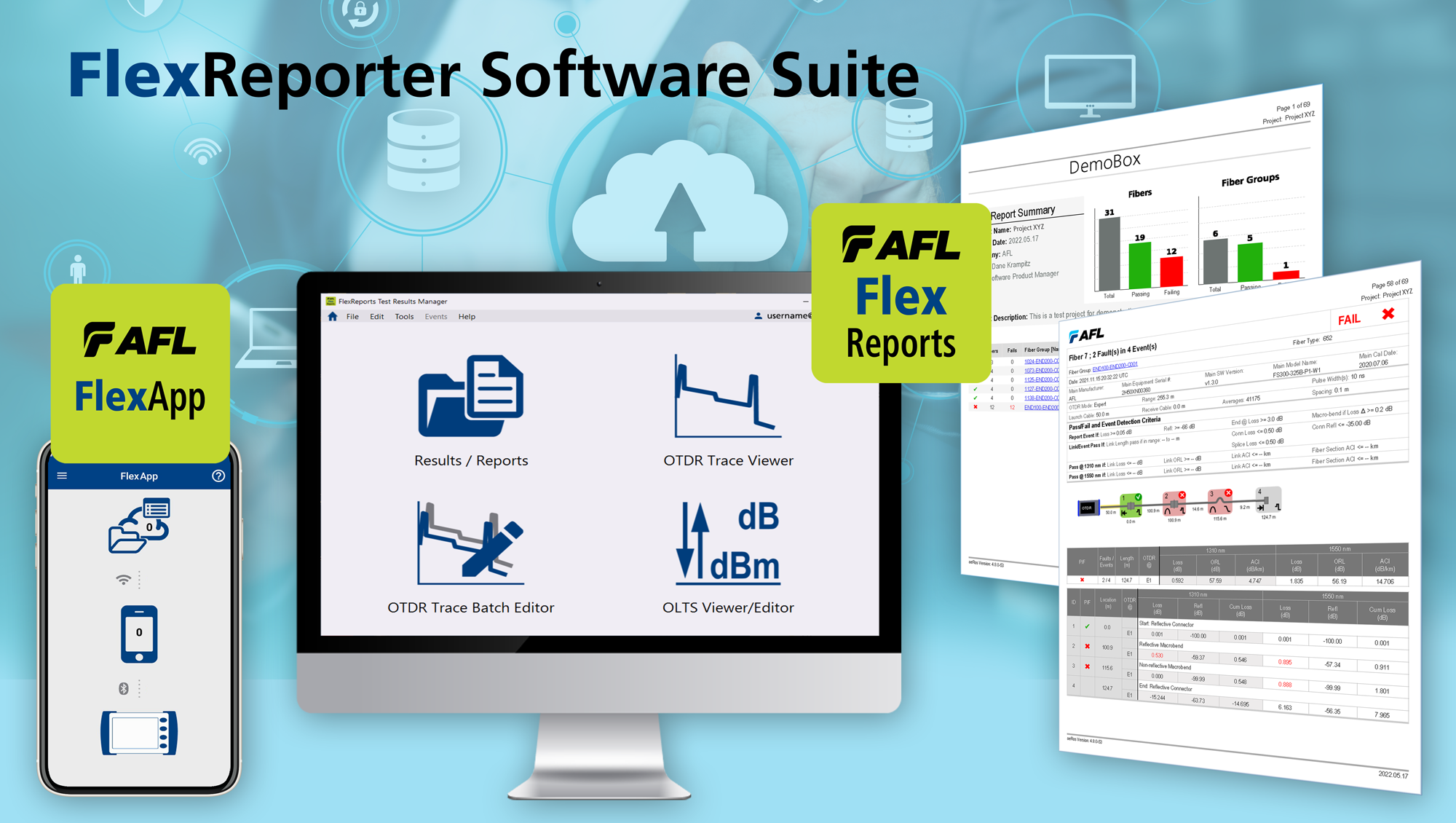
OFI-200D Optical Fiber Identifier | AFL,OFI-400 Series Optical Fiber Identifiers | AFL,OFI-BIPM and OFI-BIPMe Optical Fiber Identifiers | AFL,AFL VFI4 Visual Fault Identifier High-Powered Fiber O | AFL,MT Tracer 12Fiber VFL and Display | AFL,MFIS Multi Fiber Identification System | AFL,Encircled Flux EF Compliant Light Sources and Test Kits | AFL