Test Results Manager TRM® 2.0 is a powerful all-in-one Analysis and Reporting tool designed for use with AFL fibre optic test and inspection products. Users can review OTDR, OLTS, Certification and Connector Inspection results, analyze results and apply pass/fail criteria to Loss and OTDR results. Customized acceptance reports can be created by selecting from templates for presentation of results to end users for job signoff.
cf9c2c4533264829bfaefc2da27dc51b
1 TRM ® 2.0/3.0 Test Results Manager Test & Inspection AFLglobal.com | 800.235.3423 Optical Loss Testing ©2020, AFL, all rights reserved. TRM0-00-2000 Revision AG, 2020-07-09 Specifications are subject to change without notice. TRM Basic • Generates acceptance reports • Creates certification results and applies Pass/Fail • Documents networks • OTDR batch editing • Telcordia (GR-196 v1.1, SR-4731 issue 1 & 2) .SOR file formats TRM Advanced Adds • Macro/Microbend detection • Automatic bi-directional trace analysis • Create reports with macrobend and bi-directional trace averaging • Exporting .SOR file to .CSV file format Comprehensive Analysis and Reporting Software TRM Test Results Manager is PC-based software that provides comprehensive test results analysis and reporting for AFL test and inspection products. TRM Basic software enables users to quickly view loss or certification results, batch-edit OTDR traces, and create acceptance reports conforming to industry guidelines. TRM Basic can generate reports showing dual wavelength traces and event tables, end-face image, event map and loss data for each fiber. Users can apply pass/fail thresholds to OTDR events and OLTS measurements, and create and apply application rules per industry standards. TRM’s OTDR Batch Editor enables users to edit and analyze multiple trace files simultaneously. Advanced upgrade expands analysis & reporting functions: TRM Advanced includes all TRM Basic’s functionality and adds macro/ microbend detection, automatic bi-directional trace averaging, and .SOR file export to .CSV file format. Include Inspection Images in Reports: TRM Basic and TRM Advanced software allow integration of fiber inspection images from the FOCIS family inspection products to be included in customized test reports. Both versions support Bellcore/Telcordia .SOR file formats. Wireless transfer of data: TRM 3.0 Basic supports downloading the FlexScan family of OTDRs test results from the cloud using the free FlexScan App available from the Google play for Android mobile devices. User friendly interface makes reviewing results easy: OTDR, certification, inspection, and OPM test results are indicated by specific icons to simplify selection of test results to review. Industry Standard and User-defined Reports: Test to Industry Standards (ISO/TIA/EN), Application Rules (IEEE/ ANSI), or create User Rules and User Application Rules. As new rules and applications develop, compare existing test results to the new rules, such as emerging Ethernet standards. Supports industry-standard 10GbE IEEE 802.3ae specification using pre-configured 10GbE application rules. Produces detailed 10GbE test report. Report Flexibility and Customization: A Report Wizard enables users to generate personalized reports for customer’s job acceptance. Generated reports meet accepted industry documentation and feature customized cover pages with customer’s logos. Can create dedicated inspection, insertion loss and OTDR reports, as well as reports combining OTDR, power meter and inspection results.
2 TRM ® 2.0/3.0 Test Results Manager Test & Inspection AFLglobal.com | 800.235.3423 Reporting Software ©2020, AFL, all rights reserved. TRM0-00-2000 Revision AG, 2020-07-09 Specifications are subject to change without notice. Basic and Advanced Software Comparison FEATURES BASIC SOFTWARE ADVANCED SOFTWARE OTDR Trace/OLTS Viewer OTDR Trace Batch Editor Pre-defined Template for Reports FOCIS Flex Inspection Images and Pass/Fail Table; FOCIS WiFi and DFS1 Inspection Images Telcordia (GR-196 v1.1, SR-4731 issue 1 & 2) .SOR file formats Macrobend/Microbend; Report with Macrobend/Microbend Events Automatic Bi-directional OTDR Event Table; Report with Bi-directional OTDR Trace/Event information Export .SOR File Contents to .CSV File License Key Required (Seat License) Ordering Information TRM Basic software is included with FlexScan OTDRs, ROGUE OLTS Certifier, FOCIS family connector inspection probes, and OPM5 power meters (may be installed in up to 5 PCs). Users may download a full working version of TRM (Basic plus Advanced features) and try it for 30 days. Once the evaluation period ends, users must purchase and install a TRM Basic or Advanced software license to continue to use TRM. TRM 2.0 Ordering (for use with M-series and FlexTester OTDRs and OPM5 Power Meter) DESCRIPTION AFL NO. Basic License (OTDR Trace/OLTS Viewer, Batch Editor and Reports) USB delivery TRM-00-0900PR email delivery TRM-01-0900PR Advanced License (Basic plus Advanced Analysis) USB delivery TRM-00-0910PR email delivery TRM-01-0910PR Upgrade from Basic to Advanced License USB delivery TRM-00-0920PR email delivery TRM-01-0920PR TRM 3.0 Ordering (for use with FlexScan OTDRs, ROGUE OLTS Certifier, and FOCIS family products) DESCRIPTION AFL NO. Basic License (OTDR Trace/OLTS Viewer, Batch Editor and Reports) USB delivery TRM3-BASIC email delivery TRM3-BA-EMAIL Advanced License (Basic plus Advanced Analysis) USB delivery TRM3-ADVANCED email delivery TRM3-AD-EMAIL Upgrade from Basic to Advanced License USB delivery TRM3-UPGRADE email delivery TRM3-UP-EMAIL FlexScan App for wireless results transfer with TRM (Android Google play) Free Download Difference between TRM 2.0 and TRM 3.0 • TRM 2.0 Software supports AFL M-series and FlexTester OTDRs and OPM5 Power Meter • TRM 3.0 Software supports AFL FlexScan (FS200 and FS300) OTDRs, ROGUE OLTS Certifier, and FOCIS family connector inspection probes. • English • French • German • Italian TRM Supported Languages • Polish • Portuguese • Russian • Spanish • Turkish • Chinese • Japanese
3 TRM ® 2.0/3.0 Test Results Manager Test & Inspection AFLglobal.com | 800.235.3423 Optical Loss Testing ©2020, AFL, all rights reserved. TRM0-00-2000 Revision AG, 2020-07-09 Specifications are subject to change without notice. Analysis • Edit cables or groups of fibers in one batch session • Modify event pass/fail thresholds: Loss, ORL, Link Loss, Link ORL • Add, remove, or adjust Launch and Receive cables • Adjust the location of the cursors Documentation Add and/or e d it • Trace File Names (Fiber Number, Cable ID, End 1, End 2, and Direction of test) • Cable Information (Cable Type and GIR) • Job Information (Company, Main Operator, Second Operator, and Comment) Reporting • Generate professional reports by applying edits to a group of fibers for consistency of information and uniformity of results Powerful Batch Processing Create Professional Personalized Reports Featuring the Report Wizard - a powerful tool for creating test reports, TRM allows users to generate personalized professional reports for customer’s job acceptance. Generated reports meet accepted industry documentation and can be personalized by customizing cover pages to include customer’s logos. Create dedicated inspection, insertion loss and OTDR reports, as well as reports combining OTDR, power meter and inspection results.
4 TRM ® 2.0/3.0 Test Results Manager Test & Inspection AFLglobal.com | 800.235.3423 Reporting Software ©2020, AFL, all rights reserved. TRM0-00-2000 Revision AG, 2020-07-09 Specifications are subject to change without notice. Contact Sales@AFLglobal.com to schedule a demonstration or learn how to buy. Visit www.AFLglobal.com/Test to learn more about TRM. International Sales and Service Contact Information available at www.AFLglobal.com/Test/Contacts Certification Report Page Certification report page shows: 1 - Overall Pass/Fail report to standards (ISO shown) 2 - Pass/Fail indicated for each fiber 3 - User Rule and Applications for which the fibers have passed. 3 1 2 Report Examples OTDR Cable Summary Page OTDR cable summary page shows job information and test setup, Loss and ORL test results with or without thumbnails of OTDR traces (shown with Loss/ORL table and OTDR thumbnails). Fiber Detail Results Page Fiber Detail Results page documents equipment used for testing, job information, test setup, cursor info and OTDR trace with Event map. OPM or Certification results and end-face image and pass/fail results may be included if available (as shown) with an overall Pass or Fail. NetSim000000 Report Prepared: 06-Jun-2016 10:35 Page 6 Cable ID:C001 End 1: END100; End 2: END200 Fiber: SMF; Connector: UPC END100-END200-C001 001 27-May-2016 15:45 FAIL ☒ Zone Scratches Defects IEC: SM, PC, RL ≥ 45dB A > 0 μm: 0 > 0 μm: 5 B 2-5 μm: 16 > 3 μm: 0 > 5 μm: 2 D ≥10 μm: 0 END100-END200-C001 002 27-May-2016 15:45 PASS ☑ Zone Scratches Defects IEC: SM, PC, RL ≥ 45dB A > 0 μm: 0 > 0 μm: 0 B 2-5 μm: 0 > 3 μm: 0 > 5 μm: 0 D ≥10 μm: 0 END100-END200-C001 003 27-May-2016 15:45 PASS ☑ Zone Scratches Defects IEC: SM, PC, RL ≥ 45dB A > 0 μm: 0 > 0 μm: 0 B 2-5 μm: 0 > 3 μm: 0 > 5 μm: 0 D ≥10 μm: 0 END100-END200-C001 004 27-May-2016 15:45 PASS ☑ Zone Scratches Defects IEC: SM, PC, RL ≥ 45dB A > 0 μm: 0 > 0 μm: 0 B 2-5 μm: 0 > 3 μm: 0 > 5 μm: 0 D ≥10 μm: 0 END100-END200-C001 005 27-May-2016 15:45 PASS ☑ Zone Scratches Defects IEC: SM, PC, RL ≥ 45dB A > 0 μm: 0 > 0 μm: 0 B 2-5 μm: 0 > 3 μm: 0 > 5 μm: 0 D ≥10 μm: 0 END100-END200-C001 006 27-May-2016 15:45 PASS ☑ Zone Scratches Defects IEC: SM, PC, RL ≥ 45dB A > 0 μm: 0 > 0 μm: 0 B 2-5 μm: 5 > 3 μm: 0 > 5 μm: 0 D ≥10 μm: 0 END100-END200-C001 007 27-May-2016 15:45 FAIL ☒ Zone Scratches Defects IEC: SM, PC, RL ≥ 45dB A > 0 μm: 0 > 0 μm: 2 B 2-5 μm: 22 > 3 μm: 0 > 5 μm: 0 D ≥10 μm: 0 END100-END200-C001 008 27-May-2016 15:45 PASS ☑ Zone Scratches Defects IEC: SM, PC, RL ≥ 45dB A > 0 μm: 0 > 0 μm: 0 B 2-5 μm: 0 > 3 μm: 0 > 5 μm: 0 D ≥10 μm: 0 END100-END200-C001 009 27-May-2016 15:45 PASS ☑ Zone Scratches Defects IEC: SM, PC, RL ≥ 45dB A > 0 μm: 0 > 0 μm: 0 B 2-5 μm: 0 > 3 μm: 0 > 5 μm: 0 D ≥10 μm: 0 END100-END200-C001 010 27-May-2016 15:45 PASS ☑ Zone Scratches Defects IEC: SM, PC, RL ≥ 45dB A > 0 μm: 0 > 0 μm: 0 B 2-5 μm: 0 > 3 μm: 0 > 5 μm: 0 D ≥10 μm: 0 END100-END200-C001 011 27-May-2016 15:45 PASS ☑ Zone Scratches Defects IEC: SM, PC, RL ≥ 45dB A > 0 μm: 0 > 0 μm: 0 B 2-5 μm: 0 > 3 μm: 0 > 5 μm: 0 D ≥10 μm: 0 END100-END200-C001 012 27-May-2016 15:45 PASS ☑ Zone Scratches Defects IEC: SM, PC, RL ≥ 45dB A > 0 μm: 0 > 0 μm: 0 B 2-5 μm: 0 > 3 μm: 0 > 5 μm: 0 D ≥10 μm: 0 BidirTest Report Prepared: 06-Jun-2016 14:04 Page 1 Cable ID : C001 Fiber Num : 1 Port : Singlemode Fiber Type : Launch Cable : None (0m) Tail Cable : None (0m) Cursor A : -61.2 m Cursor B : -61.2 m B-A Distance : 0.00 m B-A Loss : 0.00 dB B-A Loss/km : 0.00 dB/km End 1 : END100 OTDR Located At : END100 OTDR Setup : Expert GIR : 1.4677 Backscatter Coef : -79.6 dB End Threshold : 3 dB Loss Threshold : 0.05 dB Refl Threshold : -65 dB Range : 2,392.9 m Pulsewidth : 25 ns Averages : 20000 End 2 : END200 Model : FS200-100 Serial # : 2D31UV140504 Software Ver : 1.0.0b010 Test Date: 10/17/2015 Test Time: 11:55:48 AM Inspection Connector Type: Comment : OTDR Results Wavelength : 1310 nm END100-END200-C001_001_S13 0 200 400 600 800 1000 1200 1400 1600 1800 2000 2200 # Location (Meters) Type Refl. (dB) Loss (dB) Atten. (dB/km) 1 0.08 -57.89 0.443 -- 2 149.60 -58.22 0.524 -- 3 607.35 -- 0.000 6.563 4 760.40 -- 0.185 0.418 5 914.31 -- 0.000 0.877 6 1064.07 -44.06 0.415 -- 7 1523.14 -- 0.000 0.294 8 1672.77 > -16.01 -- 0.301 # Events 8 Link Loss 1.64 dB Link ORL < 17.61 dB Link Length 1,672.7 m Link Atten 0.983 dB/km Event Map End 1 END100 End 2 END200 Link Length : 1,672.7 Meters 0.00 149.52 457.75 153.05 153.91 149.76 459.07 149.63 1672.68 END100-END200-C001 001 06-Jun-2016 13:55 AsBuilt END100-END200-C001 001 06-Jun-2016 13:55 AsFound 1310S AZ
Features:
- Comprehensive OTDR, OLTS, Inspection Reporting Capability
- OTDR Trace Viewer
- Report Wizard
- OTDR Batch Editor
- OLTS Viewer Editor
- Include FOCIS Flex, FOCIS WiFi or DFS1 inspection results in OTDR / OLTS reports
- Supports Telcordia (GR-196 v1.1, SR-4731 issue 1 & 2) .SOR file formats
Applications:
- Analyse OTDR traces with Bi-directional and Macrobend/Microbend detection
- Certify fibre results to Industry Standards
- Document Networks
- Batch edit OTDR test results
- Export .SOR files to .CSV format
Test Results Manager
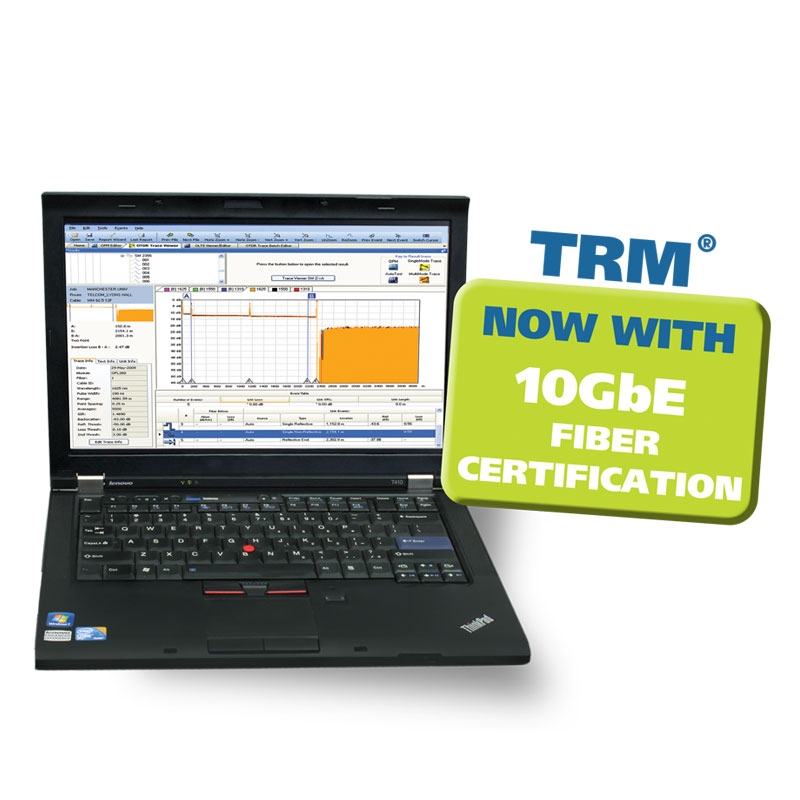
Test Results Manager 2.0 (TRM® 2.0/3.0) is Windows®-compatible PC software providing an all-in-one analysis, viewer and reporting tool designed for use with AFL fibre optic test and inspection products. TRM is available in Basic and Advanced versions.
TRM Basic Software enables users to quickly view results, generate acceptance reports, analyse OTDR traces, loss or certification results and batch-edit OTDR traces uploaded from all AFL FlexScan, FlexTester, M-Series and C-Series OTDRs & OPM products. TRM Basic also supports inspection report generation using image files uploaded from AFL's FOCIS Flex and FOCIS Duel connector inspection solutions.
TRM Advanced bi-directional trace averaging, Microbend/Macrobend detection, and export of .SOR file contents to .CSV file format. Bi-directional trace averaging provides more accurate measurements of actual splice loss where different fibre types have been joined.
TRM® 2.0/3.0
Basic Features
- Generate professional acceptance reports
- OTDR traces
- Certification loss results/OPM loss results
- Connector end-face images from FOCIS Flex, FOCIS WiFi PRO and DFS1
- Connector pass/fail results from FOCIS Flex
- Create certification results and apply Pass/Fail criteria
- Organise test results and document networks to reduce maintenance cost
- Powerful OTDR Batch editing to increase productivity
- Supports Telcordia (GR-196 v1.1, SR-4731 issue 1 & 2) .SOR file formats
- Languages Supported
- English, Chinese, French, German, Italian, Japanese,
- Polish, Portuguese, Russian, Spanish & Turkish
Advanced Features
- Macrobend/Microbend Analysis
- Identify excess insertion loss due to poor installation and fibre handling
- Detect insertion loss difference between wavelengths (≥0.2 dB)
- Bi-directional Trace Analysis
- Averages end-to-end and event loss measurements using results from both directions.
- Bidirectional trace information in the Event table
- Reverse direction test data for each event
- Comprehensive Reports for Macrobend/Microbend and Bi-directional Trace Analysis
- Export .SOR file contents to .CSV file format
TRM top level icons let users quickly choose between viewing results by jobs, generating an acceptance report, viewing OTDR traces, loss or certification results or batch editing OTDR traces.
View Results
View results allow users to select specific results within a job for viewing and to validate all results (traces, loss data, images by end) for each fibre, cable, route and job.
OTDR Trace Viewer
Within the OTDR Trace Viewer users can analyse .sor formatted trace files from AFL M-Series, C-Series, OFL-Series, FlexScan, FLX-Series and CS-Series OTDRs. TRM 2.0 allows users to apply new automatic bi-directional analysis and macrobend detection capabilities for all AFL OTDRs. Users can apply pass/fail thresholds to events and links, add/delete events, change loss methods including two point, LSA and fibre attenuation. Next and Previous buttons allow quick review of fibre results.
OLTS Viewer/Editor
Using the OLTS Viewer/Editor, users can verify Auto-test results from the AFL C-Series, or loss results from FlexTester, M-series or OPM5. Results can be compared to current industry standards, applications or user values. As standards evolve or network demands increase users can apply more stringent rules to be sure tested fiberes will meet the requirements. The OLTS viewer can be used to create bi-directional results from loss data downloaded from one or more AFL OPM5 Optical Power Meters.
TRM Report Wizard
Improve company image and reduce maintenance costs by documenting networks and creating customised acceptance reports using the TRM Report Wizard. Reports meet accepted industry documentation and can be prepared with company logos. Common report options can be saved for faster generation of future reports, saving time when creating reports for repeat customers.
Flexible reporting capability allows users to select the style for report covers, detail results pages and summary pages. Users can include OTDR traces, event tables, summary info, OLTS results, an Event Map and connector inspection images and results with detailed job and test setup information. Jobs can also be exported to zip files for archiving or submission to network owners.
Fibre inspection images and results from AFL's FOCIS family of inspection solutions may be included in all test reports.
TRM Advanced allows users to create comprehensive reports with Bi-directional and Macrobend/Microbend analysis.
Free 30-Day Trial
Users can download a full working version of TRM (Basic+Advanced features) for 30 day free trial. If a license is not obtained and activated before the evaluation period ends, TRM will cease working on the installed PC. The user will need to acquire TRM 2.0/3.0 Basic or Advanced software to continue using TRM 2.0/3.0 features.
Ordering Information
TRM 2.0 Basic Software is included with and supports AFL M-series and FlexTester OTDRs and OPM5 Power Meter. Additional copies and/or upgrade to TRM 2.0 Advanced are available for purchase.
TRM 3.0 Basic Software is included with and supports AFL FlexScan (FS200 and FS300) OTDRs and FOCIS family connector inspection probes. Additional copies and/or upgrade to TRM 3.0 Advanced are available for purchase.
See TRM - Licensing Quick Reference Guide (in Related Documents) for additional information on purchasing and installing TRM 2.0 License.
When ordering TRM Software, contact your AFL Sales representative or AFL Customer Support and purchase the TRM software part number as listed below.
TRM 2.0 Basic Software (OTDR Trace/OLTS Viewer, Batch Editor & Reports)
| AFL No.
|
|
DESCRIPTION |
| TRM-00-0900PR |
|
| TRM-00-0910PR |
TRM 2.0 Advanced Software (Basic TRM plus Advanced Features & Reports) |
| TRM-00-0920PR |
TRM 2.0 upgrade from Basic to Advanced |
| TRM3-BASIC |
TRM 3.0 Basic Software (OTDR Trace/OLTS Viewer, Batch Editor & Reports) |
| TRM3-ADVANCED |
TRM 3.0 Advanced Software (Basic TRM plus Advanced Features & Reports) |
| TRM3-UPGRADE |
TRM 3.0 upgrade from Basic to Advanced |
Focis Lightning2 Multi Fiber Connector Inspection System | AFL,CCT Connector Cleaning Tips - Fiber Optic Cleaning | AFL,Cletop Optical Fiber Connector Cleaner | AFL,FCC2 Enhanced Fiber Connector Cleaner and Preparation Fluid 10 Oz Can - Fiber Optic Cleaning | AFL,FCC2 Enhanced Formula Connector Cleaner and Preparatio - Fiber Optic Cleaning | AFL,FCC3 Debris Destroyer Fiber Cleaning Pen - Fiber Optic Cleaning | AFL,FCP1 Connector Cleaning Kits - Fiber Optic Cleaning | AFL,One-Click Cleaner Mini for Fiber Optic Connectors | AFL
2463